
Smart Tools for Financial Management: A Complete Guide

Updated: Apr 5
Managing finances can often feel overwhelming, especially with the myriad of options available today. Whether you are an individual looking to budget better or a small business owner trying to keep track of expenses, the right tools can make all the difference. In this guide, we will explore various smart tools for financial management that can help you take control of your finances, streamline your processes, and ultimately achieve your financial goals.
Understanding Financial Management Tools
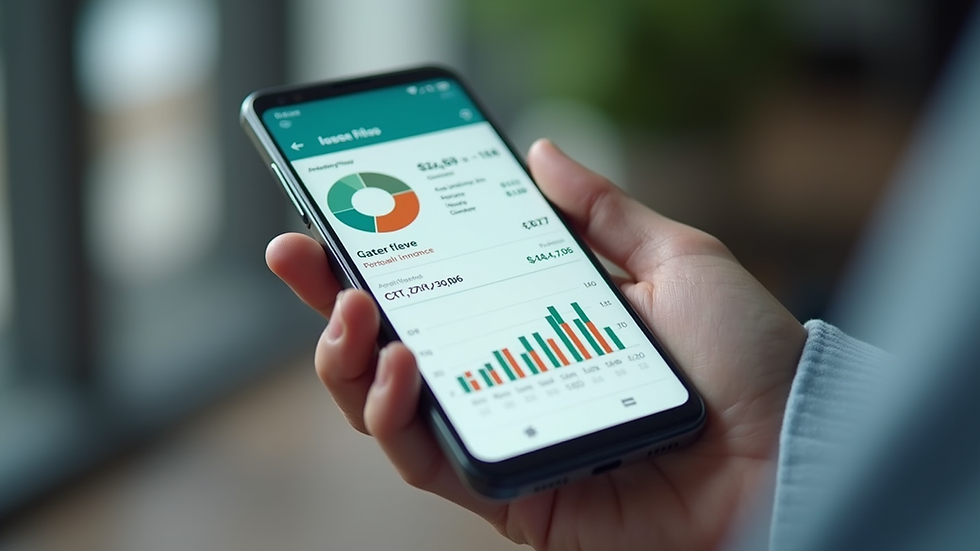
Financial management tools are software applications or platforms designed to help individuals and businesses manage their finances more effectively. These tools can assist with budgeting, tracking expenses, generating financial reports, and even forecasting future financial scenarios. By utilizing these tools, you can gain better insights into your financial situation, make informed decisions, and plan for the future.
Types of Financial Management Tools
Budgeting Apps
Budgeting apps help users create and maintain budgets by tracking income and expenses. They often come with features like goal setting, spending alerts, and visual reports to help users understand their financial habits.
Examples: Mint, YNAB (You Need A Budget), PocketGuard.
Expense Tracking Software
These tools allow users to record and categorize their expenses, making it easier to see where money is going. Many expense trackers can sync with bank accounts and credit cards for automatic updates.
Examples: Expensify, Wave, Zoho Expense.
Accounting Software
Ideal for small businesses, accounting software helps manage invoices, payroll, and financial reporting. It can simplify tax preparation and provide insights into business performance.
Examples: QuickBooks, FreshBooks, Xero.
Investment Management Tools
These platforms assist users in managing their investment portfolios, providing insights into asset allocation, performance tracking, and market analysis.
Examples: Robinhood, Betterment, Wealthfront.
Financial Planning Software
Financial planning tools help users set long-term financial goals and create strategies to achieve them. They often include features for retirement planning, savings goals, and risk assessment.
Examples: Personal Capital, eMoney Advisor, MoneyGuidePro.
Choosing the Right Tool for You
When selecting a financial management tool, consider the following factors:
Your Financial Goals: Are you looking to save for a specific goal, track your spending, or manage a business? Different tools cater to different needs.
Ease of Use: Look for tools that are user-friendly and intuitive. A complicated interface can lead to frustration and decreased usage.
Integration Capabilities: Check if the tool can integrate with your bank accounts, credit cards, or other financial platforms you use.
Cost: Many tools offer free versions with limited features, while others require a subscription. Determine your budget before making a choice.
Customer Support: Reliable customer support can be invaluable, especially if you encounter issues or have questions about the tool.
Budgeting Apps: A Closer Look
Budgeting apps are among the most popular financial management tools. They help users create budgets, track spending, and set financial goals. Here are some of the top budgeting apps available:
Mint
Mint is a free budgeting app that allows users to connect their bank accounts and credit cards for automatic transaction tracking. Users can categorize expenses, set budgets, and receive alerts when they exceed their limits. Mint also provides a credit score monitoring feature, making it a comprehensive tool for personal finance management.
YNAB (You Need A Budget)
YNAB is a subscription-based budgeting app that emphasizes proactive budgeting. Users allocate every dollar they earn to specific categories, helping them prioritize spending and savings. YNAB offers educational resources to help users develop better financial habits.
PocketGuard
PocketGuard simplifies budgeting by showing users how much disposable income they have after accounting for bills, goals, and necessities. This app is particularly useful for those who want to avoid overspending and stay within their means.
Expense Tracking Software: Keeping Tabs on Spending
Expense tracking software is essential for individuals and businesses looking to monitor their spending habits. Here are some noteworthy options:
Expensify
Expensify is a powerful expense tracking tool that allows users to capture receipts, categorize expenses, and generate reports. It is particularly popular among businesses for its ability to streamline expense reporting and reimbursement processes.
Wave
Wave is a free accounting and expense tracking software designed for small businesses. It offers features for invoicing, receipt scanning, and financial reporting, making it a comprehensive solution for managing business finances.
Zoho Expense
Zoho Expense is another excellent option for businesses, offering features like expense reporting, approval workflows, and integration with other Zoho products. It helps businesses keep track of employee expenses and simplifies the reimbursement process.
Accounting Software: Streamlining Business Finances
For small business owners, accounting software is crucial for managing finances efficiently. Here are some top choices:
QuickBooks
QuickBooks is one of the most widely used accounting software solutions for small businesses. It offers features for invoicing, expense tracking, payroll management, and financial reporting. QuickBooks also integrates with various third-party applications, making it a versatile choice.
FreshBooks
FreshBooks is designed for freelancers and small businesses, offering easy invoicing, expense tracking, and time tracking features. Its user-friendly interface and strong customer support make it a popular choice among service-based businesses.
Xero
Xero is a cloud-based accounting software that provides real-time financial insights. It offers features for invoicing, bank reconciliation, and financial reporting. Xero is particularly known for its strong integration capabilities with other business tools.
Investment Management Tools: Growing Your Wealth
Investment management tools help users manage their investment portfolios and make informed decisions. Here are some popular options:
Robinhood
Robinhood is a commission-free trading platform that allows users to buy and sell stocks, ETFs, and cryptocurrencies. Its user-friendly interface and educational resources make it a great choice for beginner investors.
Betterment
Betterment is a robo-advisor that provides automated investment management. Users can set financial goals, and Betterment will create a diversified portfolio tailored to their risk tolerance and time horizon.
Wealthfront
Wealthfront is another robo-advisor that offers automated investment management and financial planning tools. It provides features like tax-loss harvesting and financial goal tracking, making it a comprehensive solution for investors.
Financial Planning Software: Preparing for the Future
Financial planning software helps users set long-term financial goals and create strategies to achieve them. Here are some noteworthy options:
Personal Capital
Personal Capital is a financial planning tool that offers investment tracking, retirement planning, and budgeting features. Users can connect their financial accounts to get a holistic view of their finances and track their progress toward financial goals.
eMoney Advisor
eMoney Advisor is a comprehensive financial planning software designed for financial advisors. It offers features for cash flow analysis, retirement planning, and scenario modeling, making it a powerful tool for professionals in the financial industry.
MoneyGuidePro
MoneyGuidePro is another financial planning software designed for financial advisors. It helps users create personalized financial plans and provides tools for goal tracking and scenario analysis.
Best Practices for Using Financial Management Tools
To get the most out of your financial management tools, consider these best practices:
Regularly Update Your Information: Ensure that your financial data is up to date to get accurate insights and recommendations.
Set Clear Goals: Define your financial goals and use your tools to track progress toward achieving them.
Review Your Finances Frequently: Regularly review your budgets, expenses, and investments to stay on top of your financial situation.
Educate Yourself: Take advantage of educational resources provided by your financial management tools to improve your financial literacy.
Conclusion
Smart tools for financial management can significantly enhance your ability to manage your finances effectively. By choosing the right tools and following best practices, you can gain better control over your financial situation, make informed decisions, and work toward achieving your financial goals. Start exploring these tools today and take the first step toward a more secure financial future.


Comments